Allgemeine Geschäftsbedingungen der hsbcad GmbH
Unsere AGB´s befinden sich derzeit in Überarbeitung.
-
-
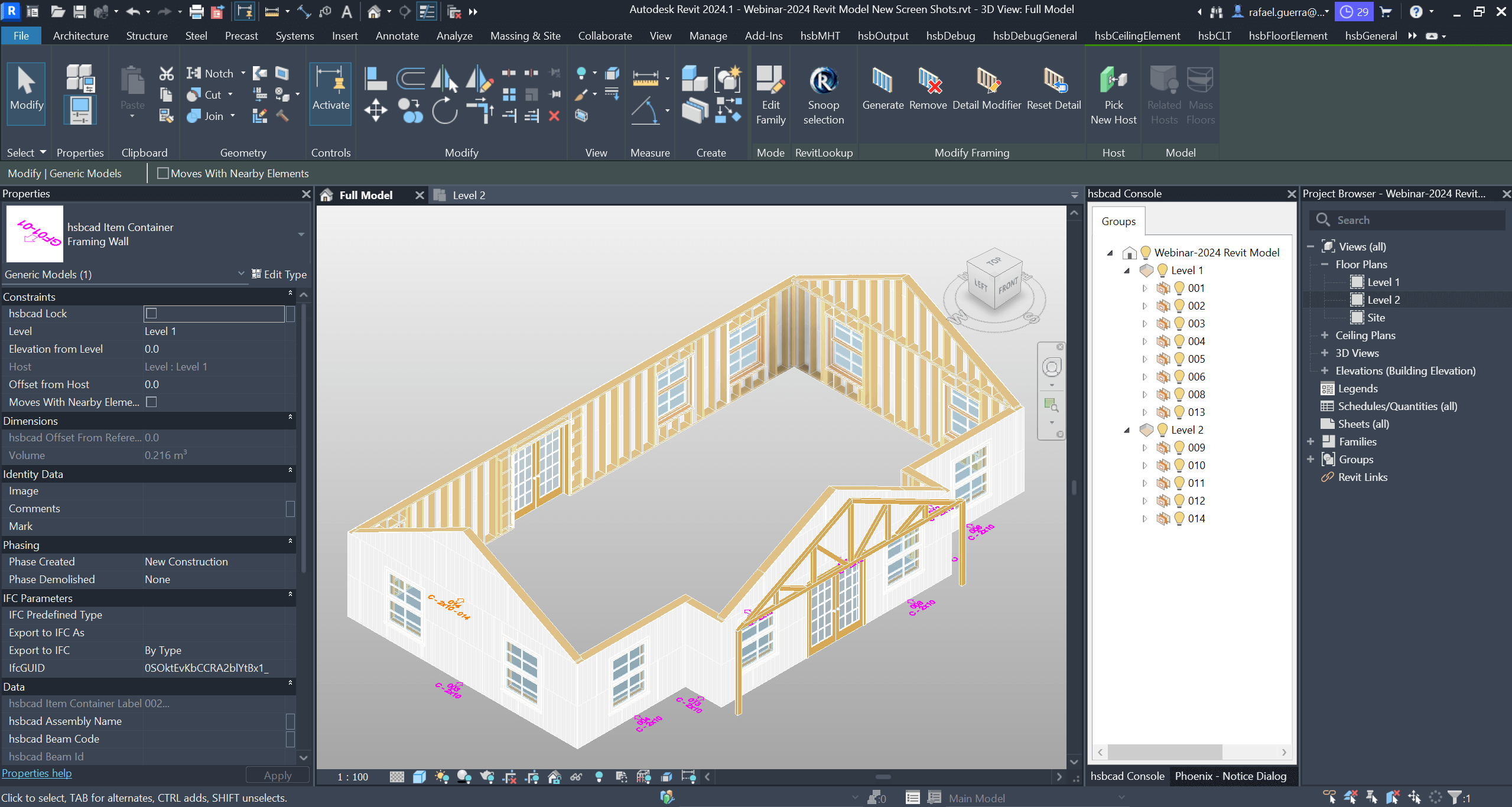
Wir freuen uns die neuste Version unsere Planungslösung zu veröffentlichen: hsbDesign V24 für Revit® und AutoCAD®.
-
-
-
-
-
-
-
-
-
-
-
-
-
-
-
-
-
-
-
-
-
-
-
-
-
-
-
Article 3 : License grant
Subject to the continued compliance by Licensee with all of the terms and conditions of this Agreement, including the payment of any and all applicable fees and other amounts due, hsbcad hereby grants to Licensee, who accepts, a non-exclusive, non-transferable, non-sublicenseable, limited license to Use the Licensed Software and, as the case may be, the other hsbcad Materials and/or Services, for Licensee’s Internal Business Needs, within the indicated scope of the license type indicated in the Order Confirmation and solely within the Territory and for/by the Permitted Number of authorized/concurrent users, Computers, seats, sessions, copies, etc. In any case where the Order Confirmation would not specify a license type or Permitted Number, or there is no Order Confirmation, the Permitted Number will, by default, be one (1). Any license is revocable at all times as indicated below.
3.1 General Use. Licensee may Use one (1) copy of the Licensed Software or, as the case may be, one account for each of the Permitted Number of authorized/concurrent users, Computers, seats, sessions, copies, etc..
3.2 Secondary Use. As the case may be, the unique user of the Computer on which the Licensed Software is installed (resp. “Primary User” and “Primary Computer”) may install a second copy of the Licensed Software for his or her exclusive use on either a portable Computer or a Computer located at his or her home, provided that the Licensed Software on the portable or home Computer is not used at the same time as the Licensed Software on the Primary Computer and both the initial copy and the secondary copy of the Licensed Software are only used by the unique Primary User. Licensee may be required to contact hsbcad or Reseller in order to make a secondary copy.
3.3 Back-up Copy. Licensee may make a reasonable number of back-up copies of the Licensed Software. Such back-up copies may not be Used for any other than archiving purposes (i.e. on a back-up storage medium from which the Licensed Software cannot be accessed), unless and for so long as the primary copy is inaccessible and inoperable.
3.4 Run-Time Distribution. Licensee may make copies of an End User Product and the associated hsbcad Run-Time, and distribute those copies freely. However, the hsbcad Run-Time may never be distributed or Used separately, meaning other than as bundled with the Output File as part of the End User Product. In addition, any and all distribution to or Use by a third party to this Agreement of (a copy of) the End User Product shall be subject to that third party’s prior and written understanding and agreement that no title to, interest in nor ownership rights with regard to the hsbcad Run-Time or other hsbcad Materials are licensed or transferred to them in any way and that the End User Product, including the hsbcad Run-Time, shall not be reverse compiled or disassembled.
3.5 Content. Unless stated otherwise in the “Read-Me” files associated with Content, which may include specific rights and restrictions with respect to such Content, Licensee may display, modify, reproduce and distribute any of the Content within the framework of its authorized Use of the Licensed Software. However, Licensee may never distribute, reproduce, communicate to the public or otherwise commercialize any Content on a stand-alone basis (i.e., in circumstances in which the Content constitutes the primary value of the product or information being distributed). Content may not be used in the production, distribution, communication or use of libellous, defamatory, fraudulent, lewd, obscene or pornographic material or any material that infringes upon any third party Intellectual Property Rights or in any other unlawful manner. Licensee may not claim any Intellectual Property Rights in or with regard to Content or derivative works thereof. Licensee agrees to indemnify, hold harmless and defend hsbcad and Reseller from and against any loss, damage, claims or lawsuits, including attorney’s fees that arise or result from any above-mentioned unlawful or unauthorized use, reproduction, communication, distribution or commercialization of Content.
3.6 Authorized Users. Licensee may permit the Licensed Software and other hsbcad Materials to be Used only by Licensee’s Personnel (except as otherwise designated in the applicable Order Confirmation), and any such Use will be subject to any other requirements imposed by this Agreement and the applicable license type and Permitted Number. Licensee will be responsible for compliance with this Agreement by Licensee’s Personnel and any other persons who may have access to or otherwise Use the hsbcad Materials through Licensee (whether or not such Use is authorized by hsbcad or Reseller or within the scope of the applicable license type and Permitted Number).
3.7 hsbcad Materials as a Single Product. The hsbcad Materials are licensed to Licensee as a single product and the applicable components may not be separated for access or Use (and all such components must be installed and Used on the same Computer except as authorized in writing by hsbcad or Reseller).
3.8 Effect of Unauthorized Use. Licensee will not engage in, and will not permit or assist any third party to engage in any of the Uses or activities prohibited (or any Uses or activities inconsistent with the limitations described) in this Agreement, in particular in Articles 3 and 5 of this Agreement (collectively, “Unauthorized Use”). Any such Unauthorized Use shall constitute an infringement of hsbcad’s (suppliers’) Intellectual Property Rights and a fundamental breach of this Agreement. Licensee will notify hsbcad promptly of any Unauthorized Use it may gain knowledge of.
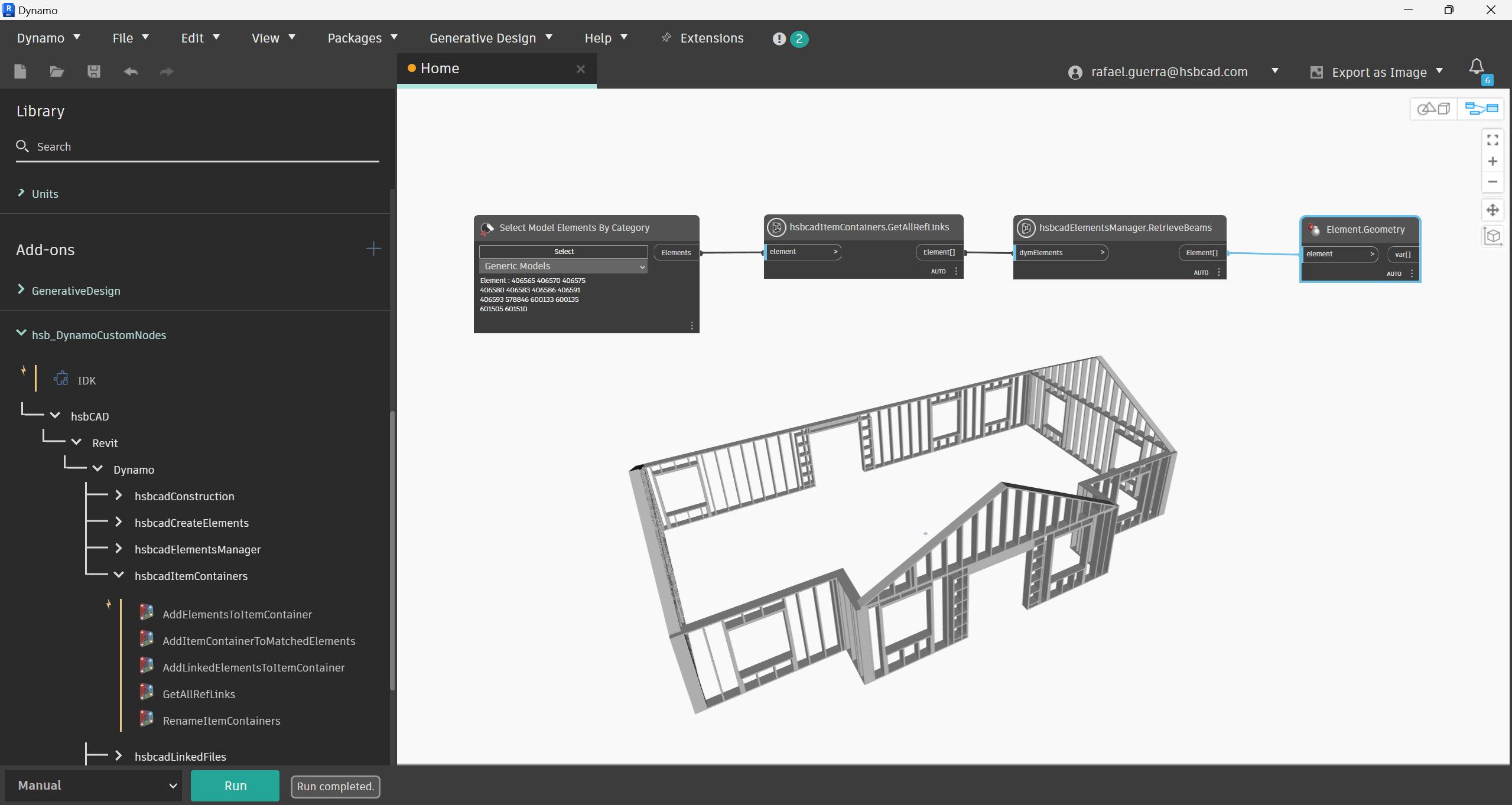
Wir freuen uns die neuste Version unsere Planungslösung zu veröffentlichen: hsbDesign V24 für Revit® und AutoCAD®.
-
Article 5 : Restrictions of Use
5.1 Notices. Licensee may not copy the Licensed Software, except as provided in Article 3. Any permitted copy of the Licensed Software must contain the same copyright and other proprietary notices that appear on or in the Licensed Software.
5.2 No Modifications. Licensee may not modify, adapt or translate the Licensed Software. Licensee may not reverse engineer, decompile, disassemble or otherwise attempt to discover the source code of the Licensed Software, except to the extent explicitly permitted under applicable law to decompile in order to achieve interoperability with the Licensed Software.
5.3 No Unbundling. The Licensed Software may include various applications, utilities and components, may support multiple platforms and languages and may be provided to Licensee on multiple media or in multiple copies. Nonetheless, the Licensed Software is designed and provided to Licensee as a single product to be used as a single product on Computers as permitted by this Agreement. Licensee is not required to use all component parts of the Licensed Software, but Licensee may not unbundle the component parts of the Licensed Software for Use on different Computers. Licensee may not unbundle or repackage the Licensed Software for distribution, transfer or resale.
5.4 No Transfer. LICENSEE MAY NOT RENT, LEASE, SELL, SUBLICENSE, ASSIGN, TRANSFER OR OTHERWISE COMMERCIALIZE (LICENSEE’S RIGHTS IN OR TO) THE LICENSED SOFTWARE, NOR AUTHORIZE ANY PORTION OF THE LICENSED SOFTWARE TO BE COPIED ONTO ANOTHER INDIVIDUAL OR LEGAL ENTITY’S COMPUTER EXCEPT AS MAY BE PERMITTED EXPLICITLY IN THIS AGREEMENT. Licensee may, however, permanently transfer all of Licensee’s rights to Use the Licensed Software to another individual or legal entity (“Transferee”) provided that: (a) Licensee also transfers (i) this Agreement, (ii) the serial number(s) and the Licensed Software affixed to media provided by hsbcad or its Reseller and (iii) all other Materials bundled, packaged or pre-installed with the Licensed Software, including any and all copies, Upgrades, updates and prior versions to the Transferee; (b) Licensee retains no Upgrades, updates or copies whatsoever, including backups and copies stored on a Computer; and (c) the Transferee fully accepts the terms and conditions of this Agreement and any other terms and conditions under which Licensee purchased a valid license to the Licensed Software. NOTWITHSTANDING THE FOREGOING, LICENSEE MAY NOT TRANSFER EDUCATION, PRE-RELEASE, TRIAL OR OTHER NOT FOR RESALE COPIES OF THE LICENSED SOFTWARE. Prior to a transfer, hsbcad may require that Licensee and the Transferee confirm in writing their compliance with this Agreement, provide hsbcad with information about themselves and register as end-users of the Licensed Software.
5.5 No Circumvention. Licensee may not (i) utilize any equipment, device, Software, or other means to (or designed to) circumvent or remove any form of technical protection used by hsbcad or its suppliers in connection with the hsbcad Materials, or (ii) Use the hsbcad Materials with any product code, authorization code, serial number, or other copy-protection device not supplied by hsbcad directly or through a Reseller. Without limiting the generality of the foregoing, Licensee may not utilize any equipment, device, Software, or other means to (or designed to) circumvent or remove the hsbcad or its suppliers’ license manager, key or any tool or technical protection measure provided or made available by hsbcad or its suppliers for managing, monitoring or controlling Use of hsbcad Materials. Licensee may not utilize any equipment, device, Software or other means to (or designed to) circumvent or remove any usage restrictions, or to enable a functionality disabled by hsbcad or its suppliers. Licensee may not bypass or delete any functionality or technical limitations of the hsbcad Materials that (or that are designed to) prevent or inhibit any unauthorized copying or Use.
5.6 Exceptions to Prohibitions. The prohibitions and limitations contained in this Agreement will not apply to the extent that the applicable law (including, without limitation, laws implementing EC Directive 91/250 on the legal protection of computer programs and laws of other jurisdictions relating to similar subject matter) does not allow such prohibition or limitation to be enforced. Moreover, this Agreement describes certain legal rights for Licensee. Licensee may, however, also have other rights under the laws of the state or country where the hsbcad Materials are acquired, and this Agreement does not change Licensee’s rights under the mandatory laws of such state or country if and to the extent the laws of such state or country do not permit this Agreement to do so. Licensee will bear the burden of proof in demonstrating that applicable law does not allow enforcement of any such prohibition or limitation or does not permit this Agreement to change particular rights in such state or country.
5.7 Use at own discretion and risk. hsbcad specifically disclaims any liability for any actions, damages or claims resulting from Licensee’s Use of any Services or hsbcad Materials. Licensee may Use the Services and hsbcad Materials at its own discretion and risk, and Licensee is solely responsible for any damage to its computer system or loss of data that results from such Use.
-
-
-
-
The hsbcad Materials are commercial professional tools intended to be used by trained and specialized professionals only. Particularly in the case of commercial professional use, the Licensed Software, Content and other hsbcad Materials can never be considered to be a substitute for Licensee’s professional judgment or independent testing, calculations, measurements and simulations. The hsbcad Materials are intended only to assist Licensee with its design, visualization, analysis, simulation, estimation, testing and/or other activities and are not a substitute for Licensee’s own independent design, analysis, simulation, calculation, estimation, measurement, testing, geometry efforts and/or other activities, including those with respect to product stress, stability, interoperability, interconnectivity, safety and utility. Due to the large variety of potential applications for the hsbcad Materials, they have not been tested in all situations under which they may be used. Licensee hereby acknowledges and agrees that hsbcad will not be liable in any manner whatsoever for any use made of hsbcad Materials by Licensee, nor for any Output File, End User Product or other result obtained through any Use of the hsbcad Materials, nor for any constructions, models, drawings, devices, objects or buildings created, printed or otherwise brought to life with the help of or based upon any hsbcad Materials or Output Files or End User Products. Persons using hsbcad Materials are responsible for the supervision, (double-)checking, management, verification and control of the hsbcad Materials and any Output Files or End User Products before implementing them. This responsibility includes, without being limited thereto, the determination of appropriate uses for the hsbcad Materials and the selection of the same and other computer programs and Materials to help achieve intended results. Persons using the hsbcad Materials are also responsible for establishing the adequacy of independent procedures for testing the reliability, accuracy, completeness and other characteristics of any Output File or End User Product, including, without limitation, all items, drawings, simulations and other Materials designed or created with the assistance of the hsbcad Materials, especially as regards constructions, buildings and other accuracy- and stability-sensitive objects and properties. Licensee further acknowledges and agrees that the hsbcad Materials will form part of Licensee’s global unique hardware and software environment to deliver specific functionality, and that the hsbcad Materials may not achieve the results Licensee desires or intended within Licensee’s design, analysis, simulation, estimation, and/or testing constraints in that regard.
8.2 Storage. When the Services provide storage, We recommend that You continue to back up your Output Files, content and other relevant data regularly. We may create reasonable technical limits on your Output Files, content and/or data, such as limits on file size, storage space, processing capacity, and other technical limits. We may suspend the Services until you are within the storage space limit associated with your account.
8.3 Connectivity and Online Services. Certain hsbcad Materials or Services may facilitate, require or rely upon Licensee’s access to and Use of Materials, Software and/or Services that are hosted on or offered via websites maintained by hsbcad or a third party (“Online Services”). In some cases, such Online Services may appear to be a feature or function within, or extension of, the hsbcad Materials on Licensee’s Computer even though hosted on such websites. Accessing such Online Services and use of any hsbcad Materials in connection with them may cause Licensee’s Computer, without additional notice, to connect automatically to the Internet (transitorily, intermittently or on a regular basis) and to communicate with a hsbcad or third-party website, Online Service or Software. Such connectivity and communication is governed by the terms (including disclaimers and notices) found on such websites or otherwise associated with the relevant Online Services. hsbcad does not control, endorse or accept any responsibility for any such third-party websites or Online Services. Any dealings between Licensee and a third party in connection with such websites and/or Online Services, including delivery of and payment for goods and services and any other terms, conditions, warranties or representations associated with such dealings, are solely between Licensee and such third party. hsbcad may at any time, for any reason, modify or discontinue the availability of any website or Online Service. EXCEPT AS EXPRESSLY AGREED BY HSBCAD OR ITS AFFILIATES OR A THIRD PARTY IN A SEPARATE AGREEMENT, YOUR USE OF WEBSITES AND ONLINE SERVICES IS AT YOUR OWN RISK UNDER THE WARRANTY AND LIABILITY LIMITATIONS OF SECTIONS 8, 9 AND 10.
8.4 Disabling Access. LICENSEE ACKNOWLEDGES AND AGREES THAT INSTALLATION OF AND ACCESS TO LICENSED SOFTWARE AND HSBCAD MATERIALS MAY BE DISABLED BY THE ACTIVATION, SECURITY, AND TECHNICAL PROTECTION MECHANISMS IF LICENSEE TRIES TO TRANSFER ALL OR A PART OF THE LICENSED SOFTWARE OR HSBCAD MATERIALS TO ANOTHER COMPUTER, IF LICENSEE TAMPERS WITH THE TECHNICAL PROTECTION MECHANISMS OR DATE-SETTING MECHANISMS ON A COMPUTER OR IN THE LICENSED SOFTWARE OR HSBCAD MATERIALS, IF LICENSEE USES THE LICENSED SOFTWARE OR HSBCAD MATERIALS PAST AN APPLICABLE SUBSCRIPTION OR LICENSING PERIOD OR FIXED TERM, OR IF LICENSEE UNDERTAKES CERTAIN OTHER ACTIONS THAT AFFECT THE SECURITY MODE OR UNDER OTHER CIRCUMSTANCES AND THAT, IN ANY SUCH EVENT, LICENSEE’S ACCESS TO LICENSEE’S WORK PRODUCT, OUTPUT FILES, END USER PRODUCTS AND OTHER DATA MAY BE AFFECTED.
8.5 Taxes, third-party fees and collection. You must pay any applicable taxes, and any applicable third-party fee (including, for example, telephone toll charges, mobile carrier fees, ISP charges, data plan charges, credit card fees, foreign exchange fees, etc.). We are not responsible for these fees. We may take steps to collect any fees you owe us. You are responsible for all related collection costs and expenses.
Article 9 : Limited Warranty
9.1 Except as may be otherwise provided for in this Agreement, hsbcad warrants, to the natural or legal person that first purchases a license for the Licensed Software for Use pursuant to the terms of this Agreement, that the Licensed Software will provide the general features and functions described in the Documentation for the ninety (90) day period following delivery of the Licensed Software (“Warranty Period”) when Used on the recommended operating systems and hardware configurations. Non-substantial variation of performance from the Documentation does not establish any warranty right. THIS LIMITED WARRANTY DOES NOT APPLY TO (MEANING THERE IS NO WARRANTY FOR) PATCHES, PRE-RELEASE (BETA), TRIAL, TRYOUT, STARTER, EVALUATION, PRODUCT SAMPLER OR NOT FOR RESALE (NFR) VERSIONS OR COPIES OF ANY LICENSED SOFTWARE, NOR TO/FOR WEBSITES OR ONLINE SERVICES. All warranty claims must be made, along with proper proof of purchase, to hsbcad within the aforementioned ninety (90) day period. hsbcad’s entire liability and Licensee’s exclusive remedy during the Warranty Period (“Limited Warranty”) will be, with the exception of any statutory warranty or remedy that cannot be excluded or limited under mandatory law, at hsbcad’s option, (i) to attempt to correct or work around errors, if any, or (ii) to refund the license fees, if any, paid by Licensee during the calendar year in which the warranty claim was made, and terminate this Agreement or the license specific to such Licensed Software. Any refund is conditioned upon the return to hsbcad or, as the case may be, the deletion, during the Warranty Period, of all of the hsbcad Materials received or Used. THE LIMITED WARRANTY SET FORTH IN THIS SECTION GIVES LICENSEE SPECIFIC LEGAL RIGHTS. LICENSEE MAY HAVE ADDITIONAL RIGHTS UNDER LAW WHICH MAY VARY FROM JURISDICTION TO JURISDICTION. HSBCAD DOES NOT SEEK TO LIMIT LICENSEE’S WARRANTY RIGHTS TO ANY EXTENT NOT PERMITTED BY MANDATORY LAW.
9.2 To the extent that the Use of Licensed Software requires the Use of Third-Party Software, Materials or Services, Licensee acknowledges that any such Third-Party Software, Materials and Services are subject to – and Licensee shall fully comply with – the relevant third party’s terms and conditions. Any implied or express warranty with regard to such Third-Party Software or Services shall be strictly limited to the warranties given by that third party to hsbcad (back-to-back). In addition, Licensee will take sole responsibility for obtaining and complying with any and all licenses that may be necessary to use any Third-Party Software, Materials or Services. Licensee acknowledges and agrees that hsbcad has no responsibility for, and makes no representations or warranties regarding such Third-Party Software, Materials or Services or Licensee’s use of the same.
9.3 Disclaimer. EXCEPT FOR THE EXPRESS LIMITED WARRANTY PROVIDED IN SECTION 9.1 ABOVE (LIMITED WARRANTY), AND TO THE MAXIMUM EXTENT PERMITTED BY APPLICABLE LAW, HSBCAD, ITS AFFILIATES, RESELLERS AND SUPPLIERS MAKE, AND LICENSEE RECEIVES, NO WARRANTIES, REPRESENTATIONS, OR CONDITIONS OF ANY KIND, EXPRESS OR IMPLIED (INCLUDING, WITHOUT LIMITATION, ANY IMPLIED WARRANTIES OF MERCHANTABILITY, FITNESS FOR A PARTICULAR PURPOSE, OR NONINFRINGEMENT, OR WARRANTIES OTHERWISE IMPLIED BY STATUTE OR FROM A COURSE OF DEALING OR USAGE OF TRADE) WITH RESPECT TO ANY HSBCAD MATERIALS OR SERVICES. ANY DATA, IMAGES, STATEMENTS OR REPRESENTATIONS ABOUT HSBCAD, ITS AFFILIATES OR RESELLERS OR ABOUT OR IN HSBCAD MATERIALS AND THEIR FEATURES OR FUNCTIONALITY OR ANY COMMUNICATION WITH LICENSEE ARE FOR INFORMATION PURPOSES ONLY, AND DO NOT CONSTITUTE ANY WARRANTY, REPRESENTATION OR CONDITION. WITHOUT LIMITING THE FOREGOING, HSBCAD, ITS AFFILIATES, RESELLERS AND SUPPLIERS DO NOT WARRANT: (A) THAT THE OPERATION OR OUTPUT OF THE LICENSED SOFTWARE OR (ONLINE) SERVICES WILL BE UNINTERRUPTED, ERROR-FREE, ACCURATE, RELIABLE OR COMPLETE, WHETHER OR NOT UNDER LICENSE OR SUPPORT BY HSBCAD, A RESELLER OR ANY THIRD PARTY; (B) THAT ERRORS WILL BE CORRECTED BY HSBCAD OR ANY THIRD PARTY; OR (C) THAT HSBCAD OR ANY THIRD PARTY WILL RESOLVE ANY PARTICULAR SUPPORT REQUEST OR THAT SUCH RESOLUTION WILL MEET LICENSEE’S REQUIREMENTS OR EXPECTATIONS.
ACCESS TO ANY WEBSITES AND/OR ONLINE SERVICES SHALL BE “AS-IS”, WITH ALL FAULTS AND ERRORS AND IMPERFECTIONS, AND HSBCAD, ITS AFFILIATES, RESELLERS AND SUPPLIERS EXPRESSLY DISCLAIM ALL WARRANTIES, CONDITIONS, REPRESENTATIONS OR TERMS, EXPRESS OR IMPLIED, WHETHER BY STATUTE, COMMON LAW, CUSTOM, USAGE OR OTHERWISE AS TO ANY MATTER, INCLUDING BUT NOT LIMITED TO PERFORMANCE, SECURITY, NON-INFRINGEMENT OF THIRD PARTY RIGHTS, INTEGRATION, MERCHANTABILITY, QUIET ENJOYMENT, SATISFACTORY QUALITY OR FITNESS FOR ANY PARTICULAR PURPOSE.
NOTHING IN THE FOREGOING RESTRICTS THE EFFECT OF WARRANTIES OR CONDITIONS WHICH MAY BE IMPLIED BY LAW WHICH CANNOT BE EXCLUDED, RESTRICTED OR MODIFIED NOTWITHSTANDING A CONTRACTUAL RESTRICTION TO THE CONTRARY.
-
-
-
-
-
-
Article 16 : Your content, account and use
16.1 Ownership and license of your content. You retain all rights and ownership of your Output content. We do not claim any ownership to your content. However, we require certain licenses from You to your content to operate and enable the Services. When You upload content to the (Online) Services, you grant us a non-exclusive, worldwide, unlimited, royalty-free, sublicensable, and transferrable license to use, reproduce, publicly display, distribute, modify (so as to better showcase your content, for example), publicly perform and translate the content as needed in response to user-driven actions (such as when you choose to store privately or share your content with others). This license is only for the purpose of operating or improving the Services.
16.2 Sharing your content. Some (Online) Services may provide features that allow you to Share your content with other users or to make it public. “Share” means to email, post, transmit, upload, or otherwise make available (whether to us or other users) through your use of the (Online) Services. Other users may use, copy, modify, or re-share your content in many ways. Please consider carefully what you choose to Share or make public as you are entirely responsible for the content that you Share. We do not monitor or control what others do with your content. You are responsible for determining the limitations that are placed on your content and for applying the appropriate level of access to your content. If you do not choose the access level to apply to your content, the system may default to its most permissive setting. It’s your responsibility to let other users know how your content may be shared and adjust the setting related to accessing or sharing of your content.
16.3 Termination of License. You may revoke this license to your content and terminate our rights at any time by removing your content from the (Online) Service. However, some copies of your content may be retained as part of our routine backups.
16.4 Feedback. You have no obligation to provide us with ideas, suggestions, or proposals (“Feedback”). However, if you submit Feedback to us, then You grant us a non-exclusive, worldwide, unlimited, royalty-free license that is sublicensable and transferrable, to make, use, sell, have made, offer to sell, import, reproduce, publicly display, distribute, modify, and publicly perform the Feedback.
16.5 Account Responsibility. You are responsible for all activity that occurs via your account. Please notify hsbcad immediately if you become aware of any unauthorized use of your account. You may not (a) Share your account information (except with an authorized account administrator) or (b) use another person’s account. Your account administrator may use your account information to manage your use and access to the (Online) Services.
16.6 User Conduct. You must use the (Online) Services responsibly. You must not misuse the (Online) Services, Licensed Software or Materials that we provide to You. This includes a prohibition to do the following:
(a) copy, modify, host, stream, sublicense, or resell the (Online) Services, Licensed Software or other hsbcad Materials;
(b) enable or allow others to Use the Online) Services, Licensed Software or other hsbcad Materials via your account information;
(c) use the hsbcad Materials included in the (Online) Services to construct any kind of database;
(d) access or attempt to access the (Online) Services by any means other than the interface we provided or authorized;
(e) circumvent any access or use restrictions put into place to prevent certain uses of the (Online) Services
(f) Share content or engage in behavior that violates anyone’s Intellectual Property Rights;
(g) Share any content that is unlawful, harmful, threatening, abusive, tortious, defamatory, libelous, vulgar, lewd, profane, invasive of another’s privacy, or hateful;
(h) impersonate any person or entity, or falsely state or otherwise misrepresent your affiliation with a person or entity;
(i) attempt to disable, impair, or destroy the (Online) Services, Licensed software or hardware;
(j) disrupt, interfere with, or inhibit any other user from using the (Online) Services;
(k) place an advertisement of any products or services in the (Online) Services;
(m) use any data mining or similar data gathering and extraction methods in connection with the (Online) Services; or
(n) violate applicable law.
16.7 Your warranty and indemnification obligations. By uploading your content to the (Online) Services, You acknowledge and agree that you have: (a) all necessary licenses and permissions, to Use and Share your content and (b) the rights necessary to grant the licenses in these terms. You will indemnify us and our subsidiaries, Affiliates, officers, agents, employees, partners, Resellers, Suppliers and licensors from any claim, demand, loss or damages, including reasonable attorneys’ fees, arising out of or related to Your content, Your Use of the (Online) Services or Licensed Software, or Your violation of any of the terms of this Agreement.
-
Article 18 : Applicable law and jurisdiction
This Agreement shall be governed by and construed in accordance with Belgian law. No effect shall be given to any other choice of law or to any conflict-of-laws rules or provisions (Belgian, foreign or international), that would result in the application of the laws of any country other than Belgium. Any dispute concerning the validity, interpretation, enforcement, performance or termination of this Agreement shall be submitted to the exclusive jurisdiction of the Ghent courts, subject to the right of hsbcad to refer the dispute to any other court having jurisdiction pursuant to the Belgian Judicial Code.
Article 19 : General provisions
19.1 Notices. Notices in connection with this Agreement by either party will be in writing and will be sent by electronic mail, postal service, or a delivery service (such as UPS, FedEx or DHL), except that Licensee may not provide notice to hsbcad of an hsbcad breach or provide notice of termination of this Agreement by electronic mail. Notices from hsbcad to Licensee will be effective (a) in the case of notices by email, one (1) day after sending to the email address provided to hsbcad, or (b) in the case of notices by mail or delivery service, five (5) days after sending by regular post or delivery service to the address provided to hsbcad.
19.2 No Assignment, Insolvency. Except as otherwise explicitly provided in the present Agreement, Licensee may not assign this Agreement or any rights hereunder (whether by purchase of stock or assets, merger, change of control, operation of law, or otherwise) without hsbcad’s prior written consent, which may be withheld in hsbcad’s sole and absolute discretion, and any purported assignment by Licensee in violation of this section will be null and void. In the context of any bankruptcy or similar proceeding, this Agreement is and will be treated as an executory contract and may not be assigned without hsbcad’s prior written consent, which may be withheld in hsbcad’s sole and absolute discretion.
19.3 hsbcad’s Affiliates. Licensee acknowledges and agrees that hsbcad may arrange to have its Affiliates engage in activities in connection with this Agreement, including, without limitation, delivering hsbcad Materials and providing Services, provided that hsbcad will remain subject to the obligations of hsbcad under this Agreement. Licensee also agrees that hsbcad’s Affiliates may enforce (including taking actions for breach of) this Agreement.
19.4 Severability. If and to the extent any provision of this Agreement is held illegal, invalid or unenforceable in whole or in part under applicable law, such provision or such portion thereof will be ineffective as to the jurisdiction in which it is illegal, invalid or unenforceable to the extent of its illegality, invalidity or unenforceability and will be deemed modified to the extent necessary to conform to applicable law so as to give the maximum effect to the intention of the parties. The illegality, invalidity or unenforceability of such provision in that jurisdiction will not in any way affect the legality, validity or enforceability of the remainder of this Agreement, nor of such provision or any other provision of this Agreement in any other jurisdiction. The parties shall mutually agree to replace the invalid provision(s), by means of an amendment, by a provision that achieves the same economic purpose of the invalid provision(s) as closely as possible.
19.5 No Waiver. No term or provision of this Agreement will be considered waived, and no breach excused, unless such waiver is in writing signed on behalf of the party against which the waiver is asserted. No waiver (whether express or implied) will constitute consent to, waiver of, or excuse of any other, different or subsequent breach.
19.6 Language. The English language version of this Agreement is legally binding in case of any inconsistencies between the English version and any translations.
19.7 Force Majeure. hsbcad shall not be liable for any non-compliance or late or incomplete compliance with its obligations if such is caused by force majeure and hsbcad shall be exempt from performing such obligations for the duration and extent of the force majeure. By force majeure is meant the concept as it is generally construed and recognized by Belgian case law and doctrine. In addition, hsbcad will not be responsible or have any liability for any delay or failure to perform to the extent due to unforeseen circumstances or causes beyond its reasonable control, including, without limitation, acts of God; earthquake; fire; flood; weather conditions; embargoes; strikes, lockouts or other labor disturbances; civil unrest; protests; latent defects; failure, unavailability or delay of suppliers, licensors, systems and/or services; riots; terrorism or terrorist acts; war; failure or interruption of the Internet or third party Internet connection(s), services or infrastructure; power failures; acts of civil and military authorities, severe weather conditions and any delay in works carried out by Licensee or any person on behalf of Licensee for any reason whatsoever .
19.8 U.S. Government Rights. All hsbcad Materials provided to any U.S. Government department or service are provided with the same commercial license rights and restrictions described herein.
19.9 Entire Agreement. This Agreement – as the case may be, together with any other contractual or other document duly emanating from and communicated by hsbcad to Licensee – constitutes the entire agreement between the parties (and merges and supersedes any prior or contemporaneous agreements, discussions, communications, agreements, representations, warranties, advertising or understandings) with respect to the subject matter hereof. The parties acknowledge that, in entering into this Agreement, they are not relying on any agreements, discussions, communications, agreements, representations, warranties, advertising or understandings other than as expressly set forth in this Agreement. Terms stipulated by Licensee in any communication by Licensee which purport to vary this Agreement or impose such other terms will be void and of no effect, unless agreed in a writing signed by an authorized representative of hsbcad. Any other modifications or additions to this Agreement will also be invalid unless agreed to in a writing signed by an authorized representative of hsbcad. In general, hsbcad shall under no circumstances be bound by any document – other than this Agreement or another document duly emanating from and communicated by hsbcad to Licensee – that is not signed by one of its directors or another person duly and explicitly mandated by such director(s) to do so.
19.10 Modification. We may modify, update, or discontinue the (Online) Services, Licensed Software (including any of their portions or features) or other hsbcad Materials or Services at any time without liability to You or anyone else. However, we will make reasonable effort to notify You before we make the change. We will also allow you a reasonable time to download your content. If we discontinue a Service in its entirety, then we will provide you with a pro rata refund for any unused fees for that Service that you may have prepaid.
-
-
-
-
-
-
-
-